



Same app, same convenience, a whole country’s worth of new adventures, just a drive away!
You guys have been asking for this for ages, and we’ve delivered: Effective immediately, you can now drive to Malaysia with an eligible GetGo vehicle. No queueing at rental counters, no complicated processes to learn. Here's how it all works, from finding an eligible vehicle to rolling back into your home lot.
What is GetGo’s Drive to Malaysia feature?
Drive to Malaysia (DTM) lets you drive an eligible DTM vehicle across the border. It’s just like any other booking you’d make via the GetGo app: search and select a vehicle, book your drive, and you’re off!
But what exactly makes DTM special?
- No mileage charges, so you can drive as far as you like within West Malaysia.
- No new app to download, no unfamiliar rental agents to deal with.
- Enter Malaysia just like you would with a normal vehicle via Woodlands Causeway or the Tuas Second Link.
Getting a vehicle to drive to Malaysia used to mean borrowing one from a friend or sorting out a separate rental. Now, it’s as easy as selecting an additional option during your booking confirmation!
Step 1: Find your eligible vehicle
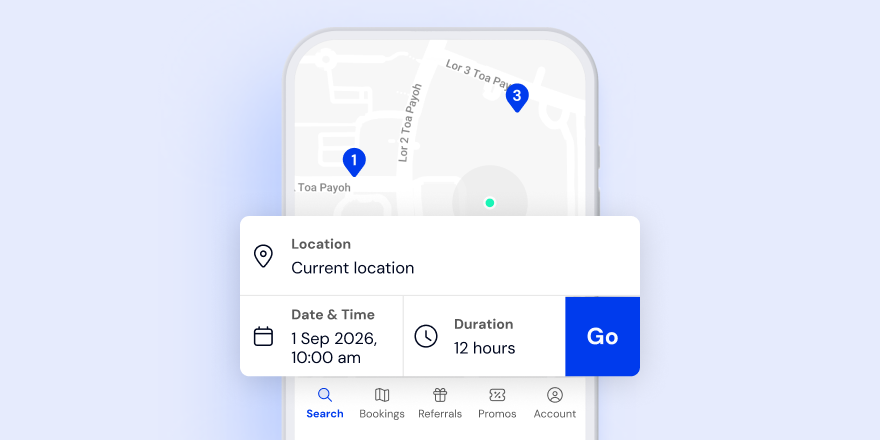
1. Select your preferred date and time, then tap “Go”.
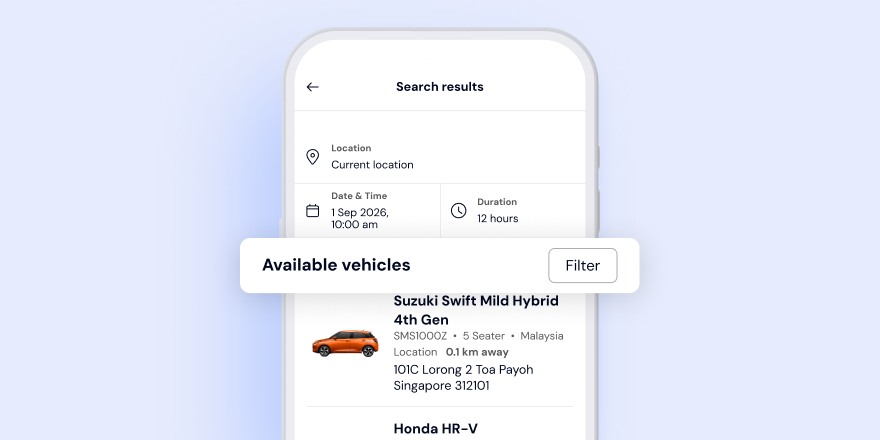
2. On the search results page, tap the “Filter” button to show all available vehicles in your area.
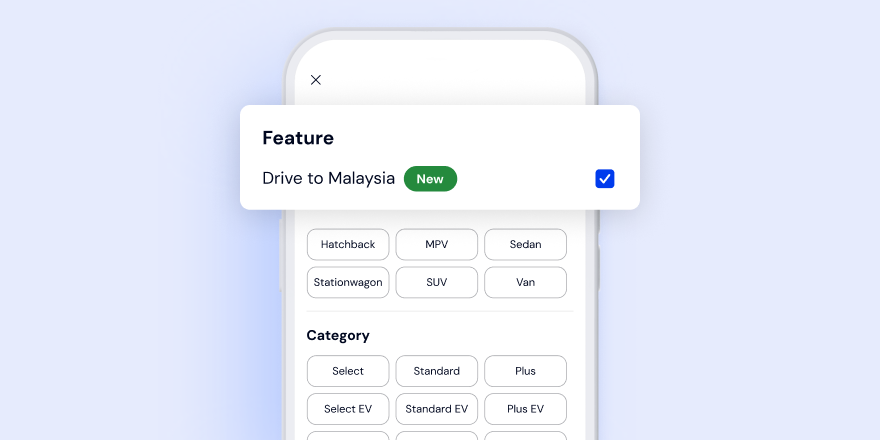
3. In the filter page, tick the “Drive to Malaysia (New)” checkbox to show the vehicles eligible for DTM near you.
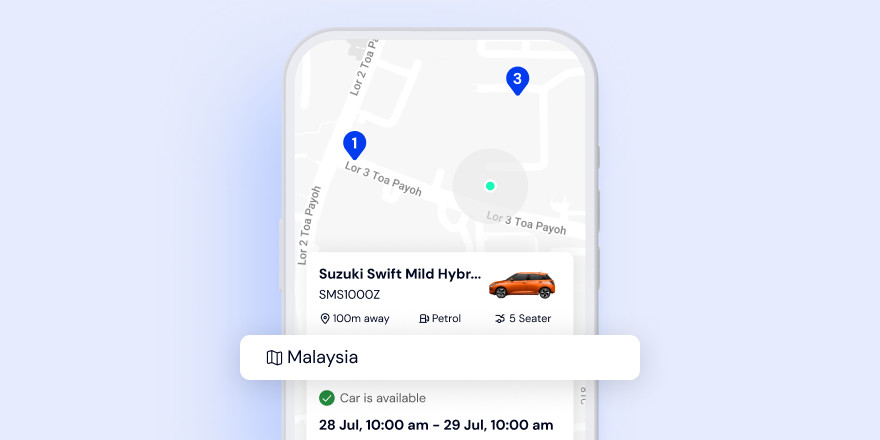
4. Choose any vehicle with the ‘Malaysia’ tag on its vehicle card to make your booking.
Step 2: Book and opt in
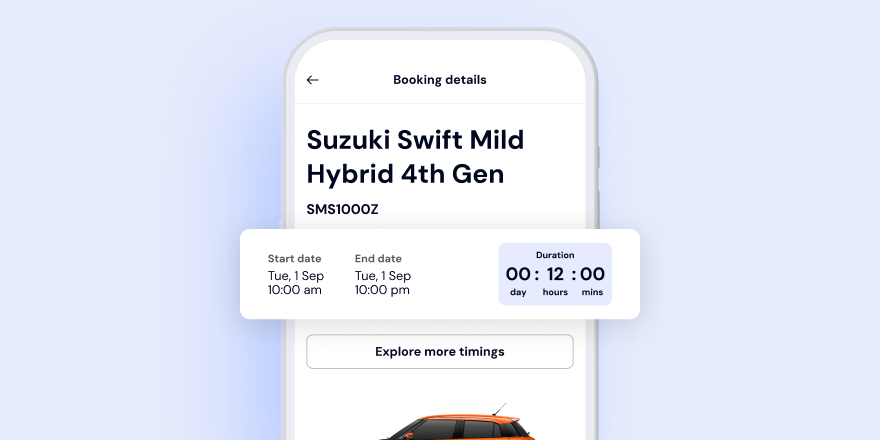
DTM bookings must be at least 12 hours to allow for adequate travel time back to Singapore.
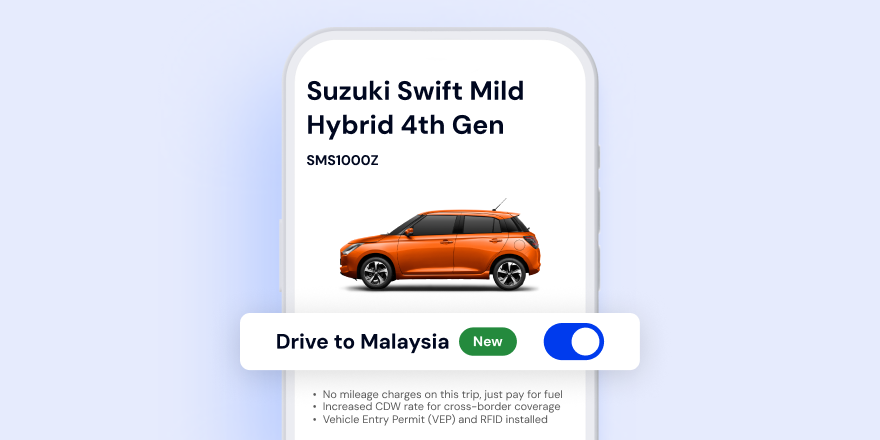
On the booking page, tap the toggle button to opt in for DTM before confirming your booking.
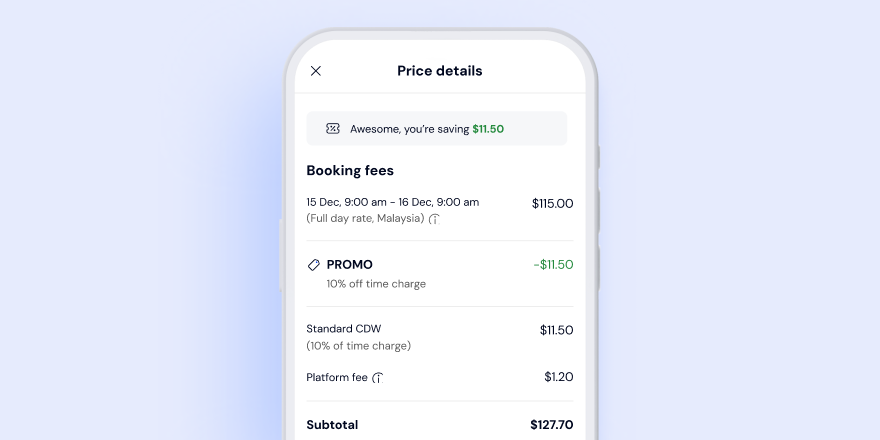
Your booking prices will be updated before you confirm your booking.
Step 3: What you'll be paying for
Step 4: Your pre-trip checklist
A little prep makes the crossing smooth. Make sure you have the following before you set off.
In your bag
- A physical passport for every traveller, with at least 6 months' validity
- A valid physical driving licence for every registered driver
- A NETS CashCard with at least $10 stored value for Singapore Checkpoint Fees
- A physical Touch 'n Go (TnG) card with at least RM50 loaded for the RM20 cross-border charge, tolls, and parking
On your phone
- The GetGo app, updated to the latest version (version 4.4.0)
- Data roaming switched on, so you can unlock your vehicle and get in touch with our Live Chat
- A powerbank and cable — optional, but your phone needs to be sufficiently charged to lock and unlock your vehicle
In your engine
- Fill your tank up to at least three-quarters before crossing the border. It's a Singapore Customs requirement, with fines of up to $500 if you don't
- Take a dashboard photo at the start and end of your booking for fuel verification, as well as to protect you in the event of any disputes
Step 5: Crossing the border
Your vehicle already has a Vehicle Entry Permit (VEP) RFID tag installed, so there's no need to set anything up for the checkpoint. At the toll gantry, tap your physical TnG card to automatically pay for the RM20 road charge.
💡Pro tip: Use your physical TnG card, not the app — the app won't work at the gantry, since the vehicle's VEP RFID tag is tied to GetGo.
Have everyone's passport and the driver's physical driving licence ready at immigration.
Step 6: What to know once you're in Malaysia
Fuel
- Use RON97 fuel or above — RON95 isn't permitted for Singapore-registered vehicles.
- You'll pay for your own fuel at all stages of any DTM booking, with no reimbursement.
Tolls and parking
- Use your physical TnG card for tolls, and a TnG or bank card for gantry parking
- For on-street parking, download the state's own app (e.g. Smart Selangor for Selangor, Parkmax@Johor for Johor Bahru). As each state has its own app, check which one applies before you park.
Road rules
- Drive on the left, and keep left unless you're overtaking.
- The speed limit is 110km/h on highways, and 50 to 80km/h in urban areas.
- Seatbelts are mandatory for everyone in the vehicle.
What's not allowed
- Do not use GetGo vehicles for ride-hailing or paid chauffeuring services in Singapore or Malaysia
- No unregistered drivers behind the wheel — only you and any Additional Drivers you've added are covered by insurance.
- Do not drive into Thailand, as insurance coverage applies to West Malaysia only
Step 7: Heading home
Almost home! A few things to close out the trip:
- Bookings can't be ended in Malaysia. End your booking only at your vehicle's original home lot in Singapore.
- Return with your tank at least half full. A $35 charge applies for each quarter-tank you come up short.
- Give yourself at least a 2-hour buffer for customs clearance. You'll get a reminder 3 hours before your booking ends.
- When your booking’s over, take a dashboard photo of the fuel gauge to submit in the app.
- Need more time? Extend in the app as usual. The cross-border surcharge applies to the extra hours too.
We've got you covered, every kilometre
We make sure you're never on your own out there. From the moment you leave Singapore to the time you return home, we’ve got you.
If you face any issues on the road, simply get in touch with our 24/7 Live Chat. DTM users get priority support, and for minor issues, our partners up north will reach you anywhere in West Malaysia within 45 minutes. If you’re an Android user and run into a connection error when using Live Chat, force quit your app, reopen it to restore the connection, and try again.
If a problem arises on the highway, use the bright orange emergency phones spaced every 2km, or call PLUSRonda on 1800-88-0000 (toll-free, 24/7). In the event of an accident, contact GetGo immediately on our accident hotline at +65 6564 3846 and follow the instructions provided. Exchange details with everyone involved, photograph the vehicles and any damage, and call 999 if anyone is injured.
Drive to Malaysia FAQs
- Which GetGo vehicles are eligible for Drive to Malaysia?
- What are the charges for Drive to Malaysia bookings?
- How does the CDW apply for Drive to Malaysia bookings?
- How do I top up fuel in Malaysia?
- What if my fuel level is less than half the tank at the end of my booking?
See you on the other side of the causeway!
Amanda 💙


